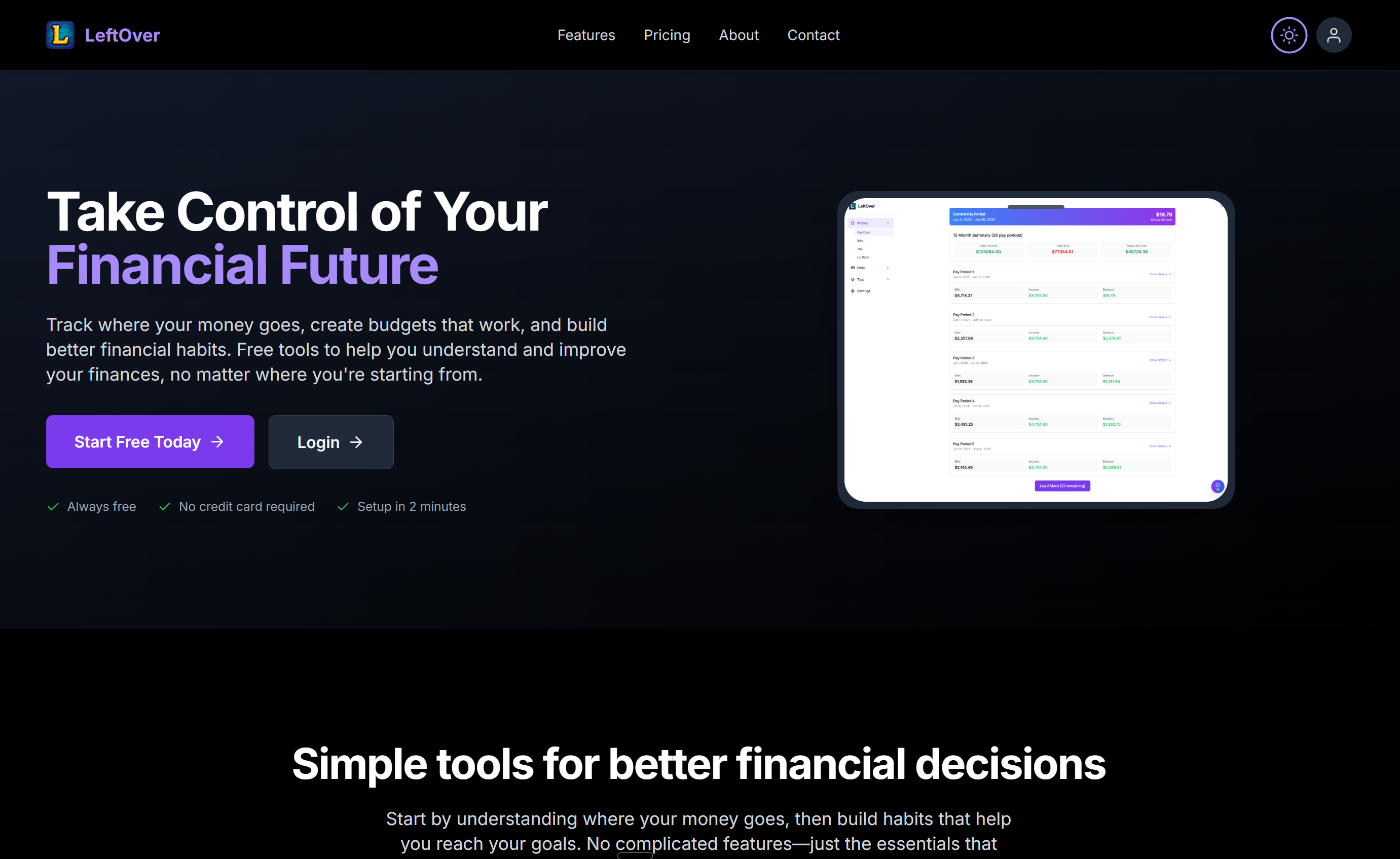
A free personal finance platform I built to track debts, bills, pay cycles, tax receipts, and bank transactions in one place. Includes a debt payoff simulator that shows exactly how much time and interest you save by paying extra.
I wanted a single place where I could see everything about my finances at once. Not just what's in my bank account right now, but what bills are coming up this pay cycle, how much debt I have, how long until it's paid off, and what I've spent on tax-deductible items this year.
The apps that exist for this are either too basic, too US-focused, or they cost money for features that should be free. I don't think financial literacy tools should be behind a paywall. So I built LeftOver as a completely free platform. No premium tier, no credit card required, no catch.
The name comes from the core concept: after your income comes in and your bills go out, how much is left over? And what's the smartest thing to do with it?
Money Management Dashboard
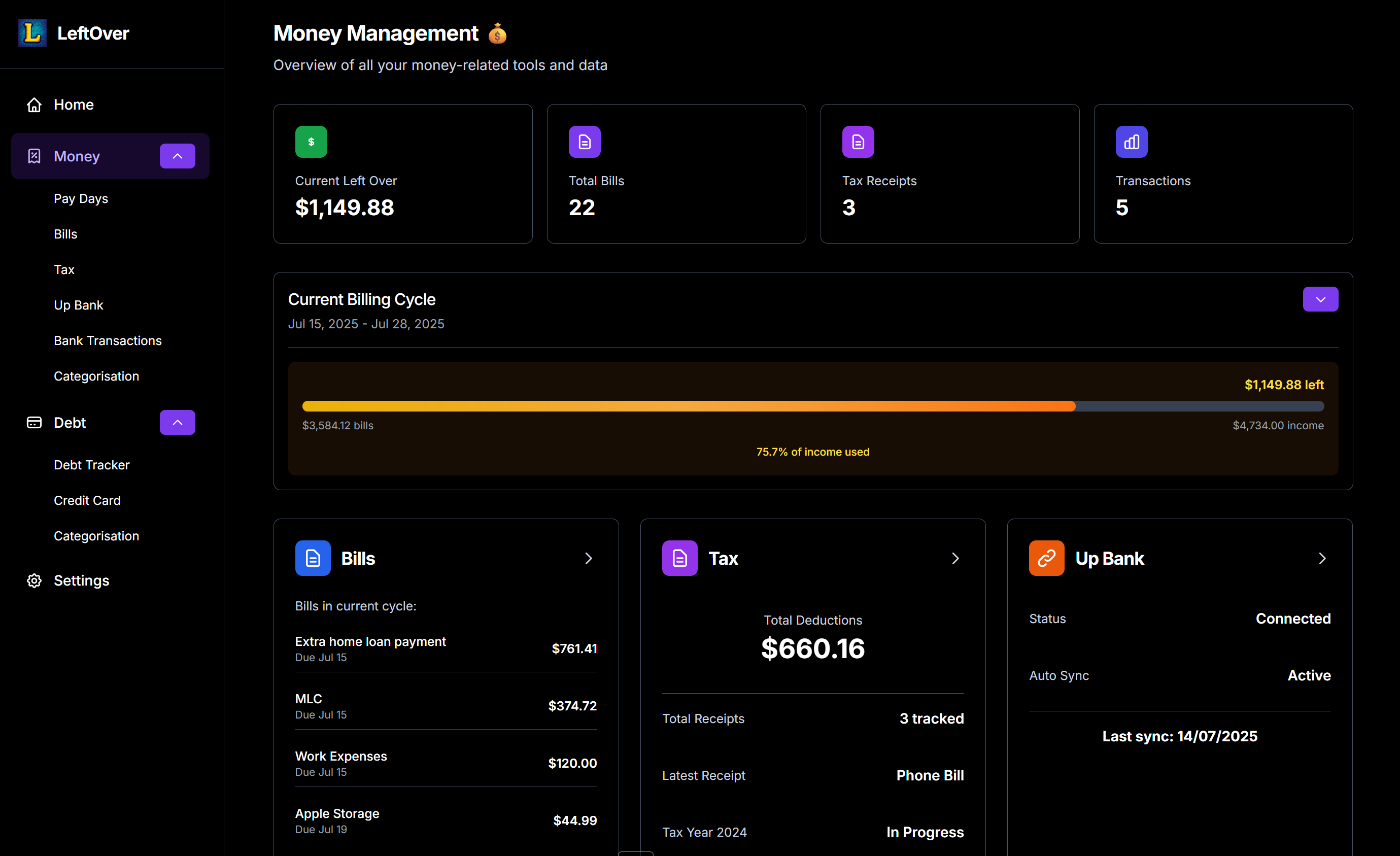
The main dashboard shows everything at a glance. At the top you see your current "left over" amount for this pay cycle, total number of bills, tax receipts tracked, and transaction count. Below that is a visual billing cycle bar showing how much of your income has been used, with the remaining amount highlighted.
Underneath the cycle bar are quick-access cards for Bills (showing upcoming payments in this cycle with amounts and due dates), Tax (total deductions tracked, number of receipts, and financial year status), and your connected bank account with sync status and last sync time.
Money management dashboard with pay cycle tracking, upcoming bills, and bank integration
Debt Tracking
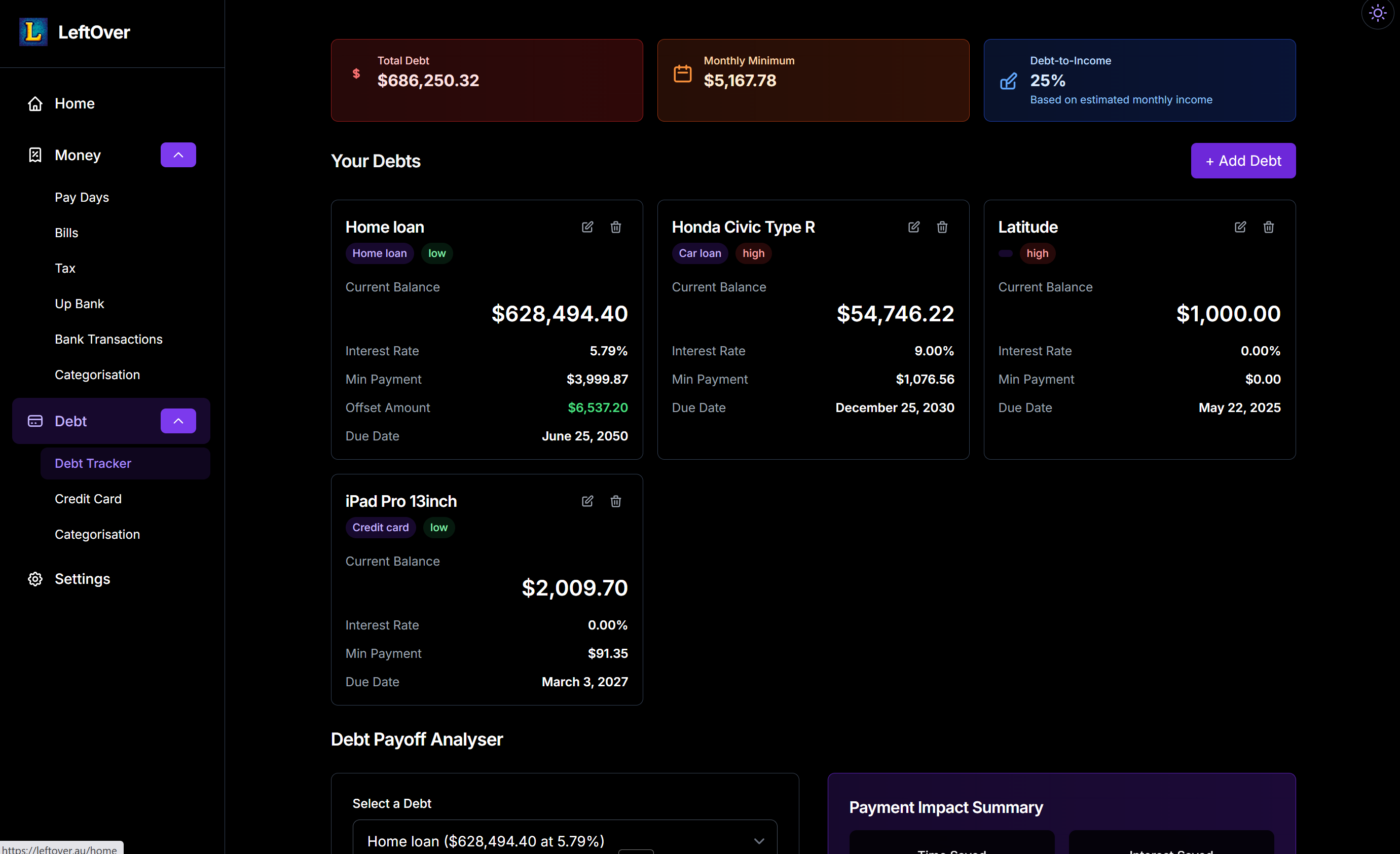
The debt section tracks all your liabilities in one place. Home loan, car loan, credit cards, whatever you have. Each debt card shows the current balance, interest rate, minimum payment, offset amount (for home loans), and due date. At the top of the page, summary cards show your total debt, total monthly minimum payments, and debt-to-income ratio.
I built this because I wanted to see my full debt picture without logging into three different banks. Having it all in one view makes it much easier to prioritise which debts to attack first.
Debt tracker with total debt, monthly minimums, and debt-to-income ratio
Debt Payoff Analyser
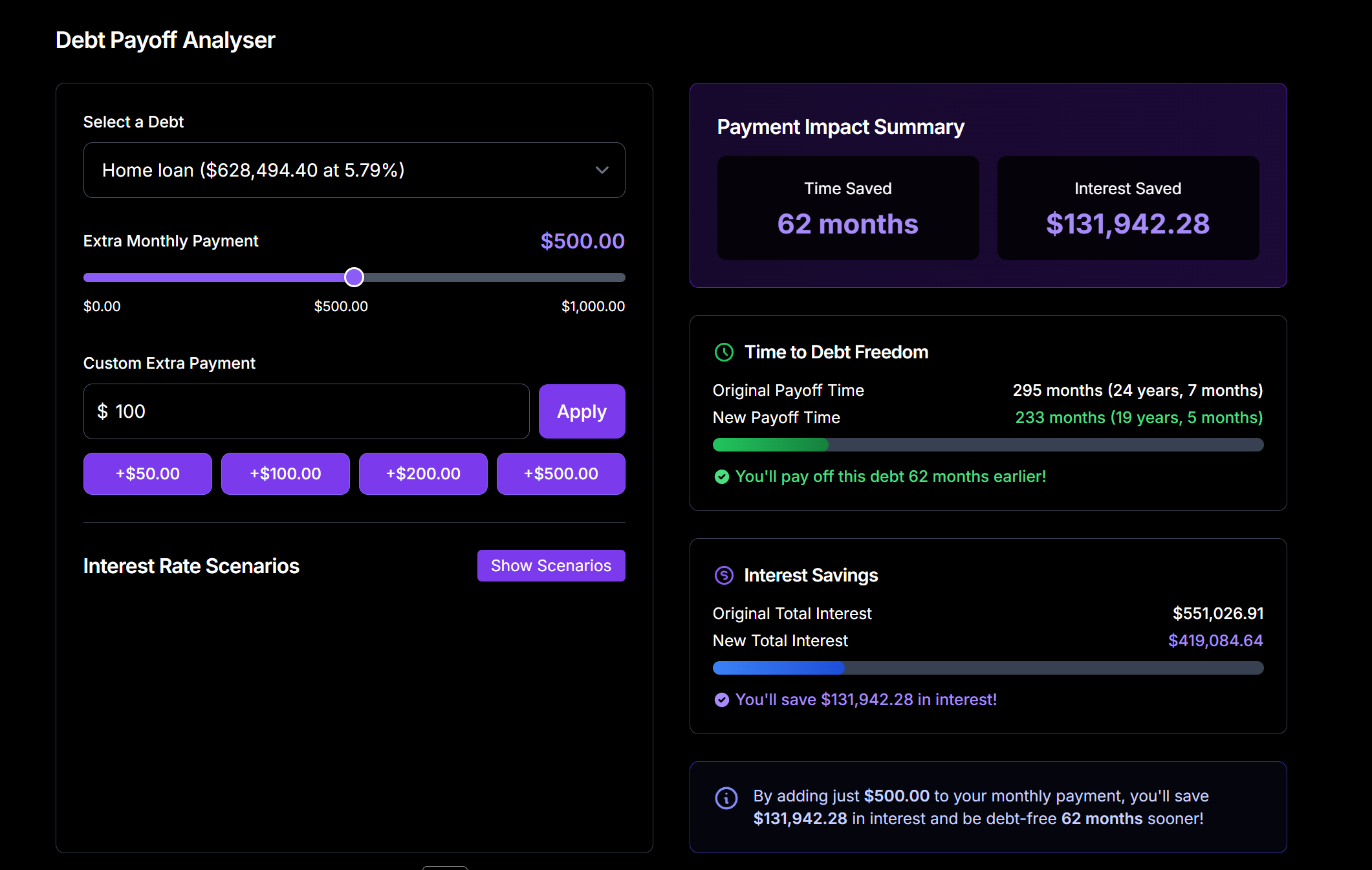
This is probably the most useful feature in the entire app. You select a debt, then use a slider to simulate what happens if you add extra to your monthly payment. The results update instantly: time saved, interest saved, new payoff timeline, and a comparison of original vs new total interest.
For example, adding $500 a month to a home loan at 5.79% saves over $131,000 in interest and cuts 62 months off the loan. Seeing that number in real time is a powerful motivator. The analyser also includes an interest rate scenario tool for "what-if" planning, so you can see how a rate change would affect your repayments.
Debt payoff simulator showing $131K interest saved and 62 months off the loan with an extra $500/month
Tax Receipt Tracking
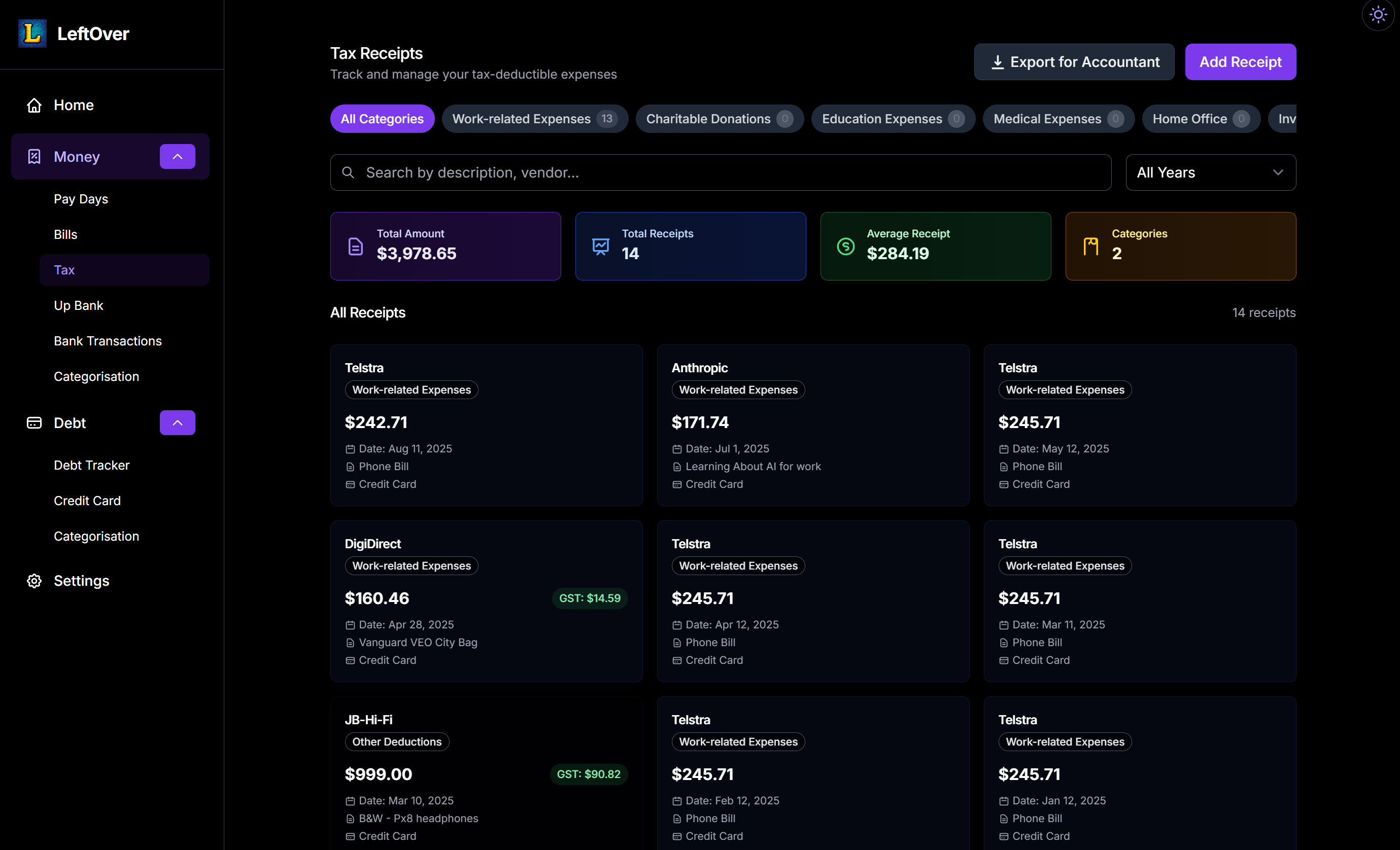
At tax time, most people scramble to find receipts and figure out what they can claim. LeftOver has a dedicated tax section where you can log deductible expenses throughout the year. Each receipt is categorised (Work-related Expenses, Charitable Donations, Education, Medical, Home Office) with the vendor name, amount, date, description, and whether GST applies.
The totals update automatically: total deductions, number of receipts, average receipt value, and number of categories used. When it's time to lodge your tax return, you just hit "Export for Accountant" and everything is packaged up and ready to go. No more digging through emails and bank statements in July.
Tax receipt tracker with categories, GST tracking, and one-click accountant export
Transaction Categorisation
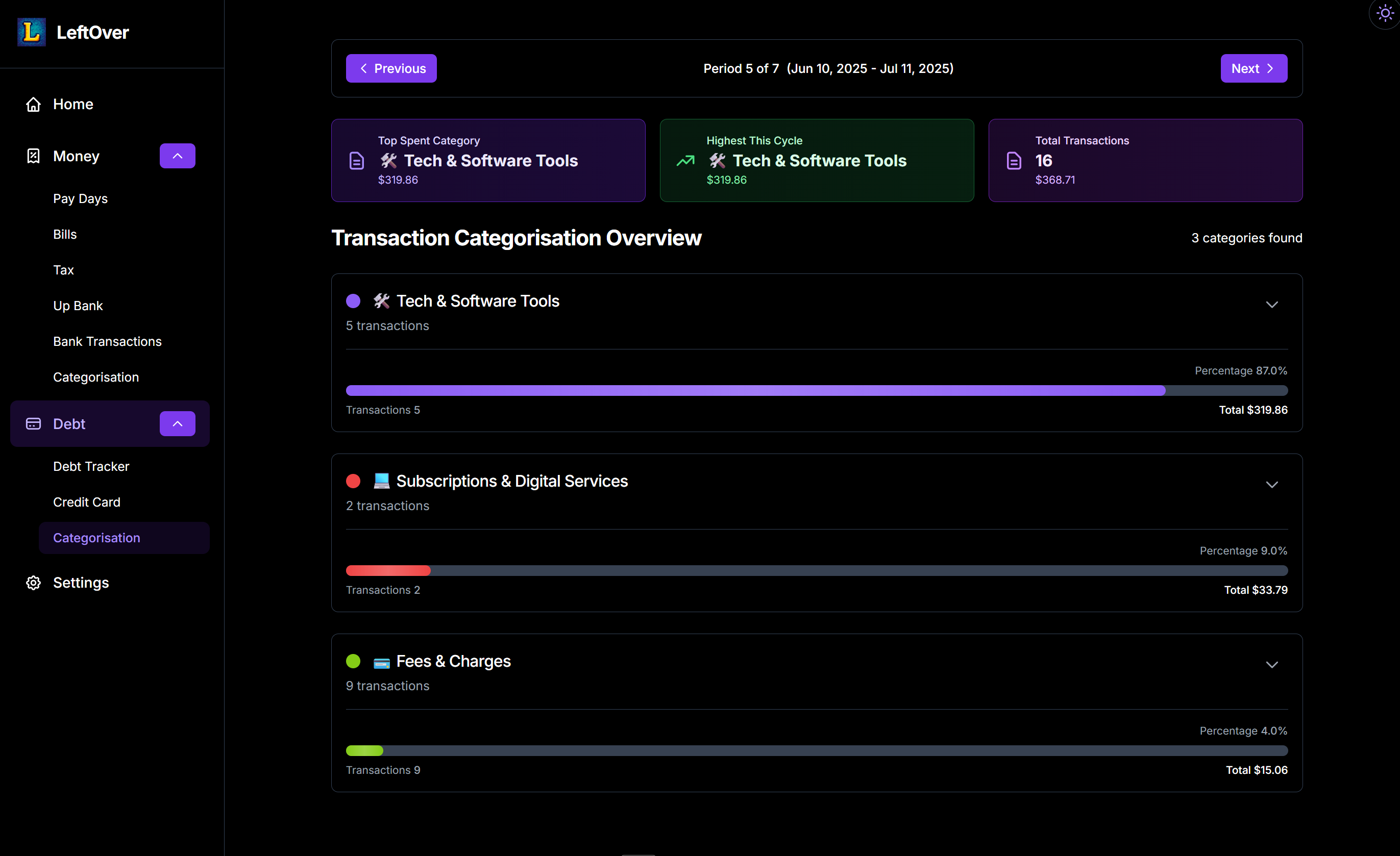
If you connect your Up Bank account, LeftOver pulls in your transactions and categorises them automatically. The categorisation view shows a breakdown by category (Tech & Software Tools, Subscriptions & Digital Services, Fees & Charges, etc.) with progress bars, transaction counts, and percentage of total spend. You can navigate between pay periods to compare spending across cycles.
This gives you a clear picture of where your money actually goes, rather than just looking at a list of transactions in your banking app and trying to make sense of it. The top-level summary highlights your biggest spending category and highest single-cycle spend so you can spot patterns quickly.
Transaction categorisation with per-period spending breakdown and category analysisFree Forever
LeftOver is 100% free and always will be. I built it because I believe everyone should have access to proper financial tools without paying a subscription. The platform includes smart budgeting, debt management, payoff planning, unlimited transactions, bank-level security, and a mobile-responsive design. No premium tier, no ads, no data selling. Just useful tools that help people understand and improve their finances.
Platform Features
Everything included, completely free
Free
Forever
No premium tier, no credit card, no catch. Full access to every feature
Debt
Payoff Simulator
Real-time simulation showing time saved, interest saved, and new payoff timelines
Pay Cycle
Tracking
Visual billing cycle bars showing income used, bills due, and money left over
Tax
Receipt Tracking
Year-round deduction logging with category filters and one-click accountant export
Up Bank
Integration
Auto-sync transactions from Up Bank with automatic spending categorisation
Dark Mode
Interface
Clean dark-themed UI designed for readability with sensitive financial data
Technical Implementation
The technology powering the platform
React 19 + TypeScript
Latest React with TypeScript for type safety, Vite for fast builds, and modern component architecture
Firebase
Firestore database, Firebase Auth, Cloud Functions, and Hosting for scalable financial data management
Tailwind CSS + Lucide
Utility-first styling with modern icon library and responsive dark-themed design system
Up Bank API
Direct bank integration with automatic transaction sync and categorisation
Excel export, accountant-ready tax reports, and comprehensive financial data output
Need a Custom Finance Application?
If you need a purpose-built financial platform, whether it's budgeting, investment tracking, or business finance tools, let's talk about building something that solves your specific problem.